One offer, your whole customer list
Pick who it goes to, write it once, and send. With a picture on top, buttons underneath, or a row of cards people can swipe.
In short
What it is
Bulk messaging that pulls its audience straight from your CRM instead of a spreadsheet you keep re-exporting.
Who it is for
Anyone with offers, reminders, new stock or an event to announce to people who already know them.
What you need
A connected WhatsApp number for WhatsApp campaigns, or your own email address for email ones.
How it works
Four or five steps, start to finish.
Choose who gets it
Everyone at a pipeline stage, everyone added between two dates, a saved list, or a CSV you upload.
Write it once
Pick an approved template or write the email. Names and other details fill themselves in per person.
Add the picture and buttons
A photo or video header, up to three buttons, or a carousel of two to ten cards.
Send and watch
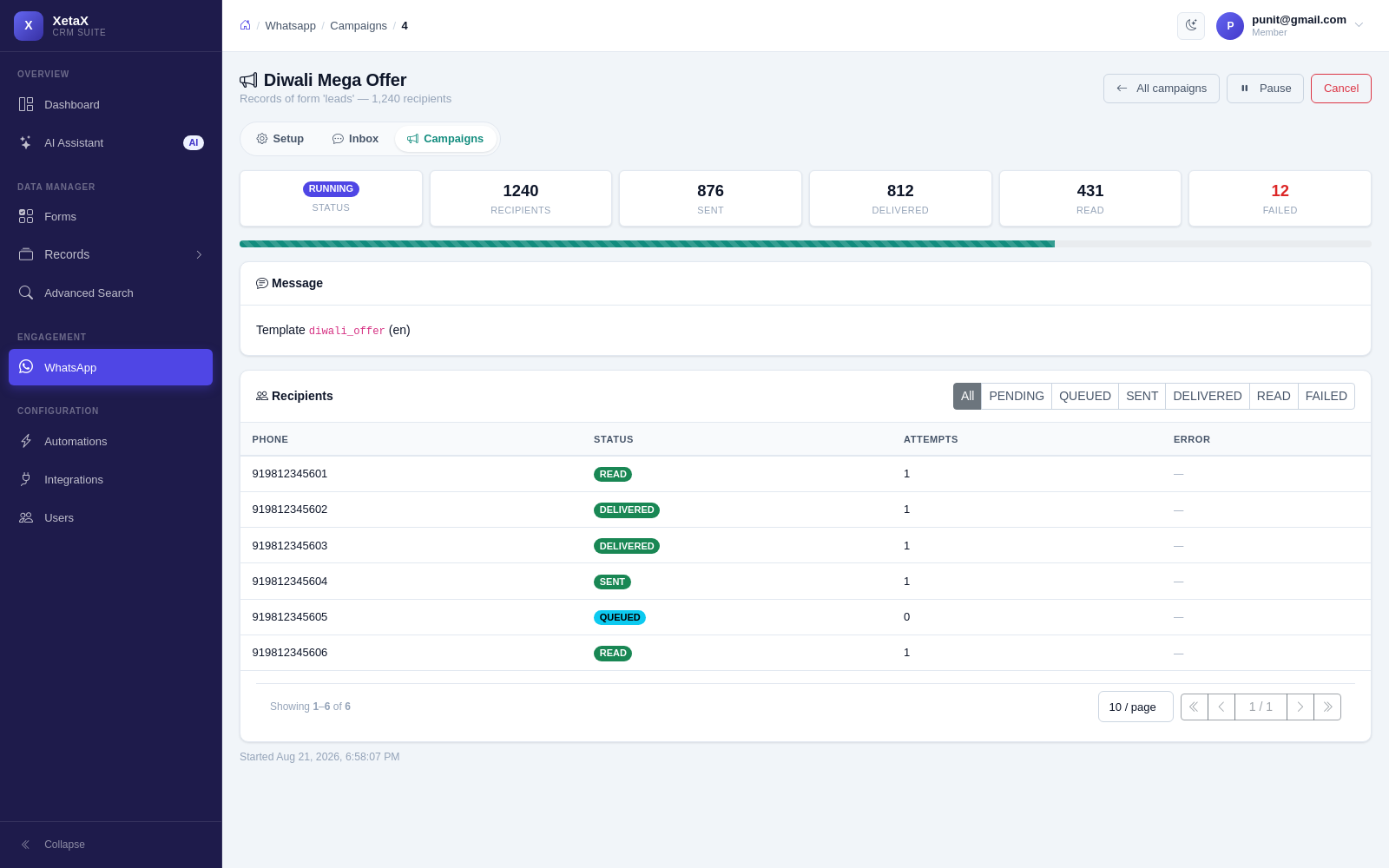
Delivery is tracked per contact, so you know who received it — and the AI can handle the replies.
What you get
- Audience from your CRM — a stage, a date range, a list or an upload — no exporting and re-importing.
- A photo or video header — put your product, your offer or your invoice at the top of the message, not buried in a link.
- Buttons that do something — open your website, start a chat with your AI assistant, or dial your number. Up to three.
- Carousels — two to ten cards your customer swipes through, each with its own picture, text and buttons.
- Approval handled for you — the panel checks Meta’s rules before submitting, so you hear “this needs an example link” rather than a rejection hours later.
- Email from your own address — bulk email that goes out as you, not as a stranger.
- Replies come back in — answers land in your shared inbox, and Autopilot can qualify them into leads on its own.
Is this for you?
Worth it if…
- You have a list of customers and something to tell them
- You want to know who actually received it
- You want replies to turn into leads, not chaos
Probably not if…
- You want to message people who never contacted you
- You are looking for cold-outreach lists — we do not provide those
Questions
Do WhatsApp templates need approval?
Yes, Meta approves message templates. The panel checks the common reasons for rejection before it submits, so most go through first time.
What happens when someone replies?
The reply lands in your shared inbox against that customer. If Autopilot is on, the AI answers and can save a lead from the conversation.
Can I send to people who have not messaged me first?
To a template, yes — that is what templates are for. Free-form messages are only allowed inside the 24-hour window after the customer writes to you. The panel handles the difference for you.
Is there a per-message markup?
No. You pay Meta’s conversation rate as it is.