When a customer wants a person, a person is one click away
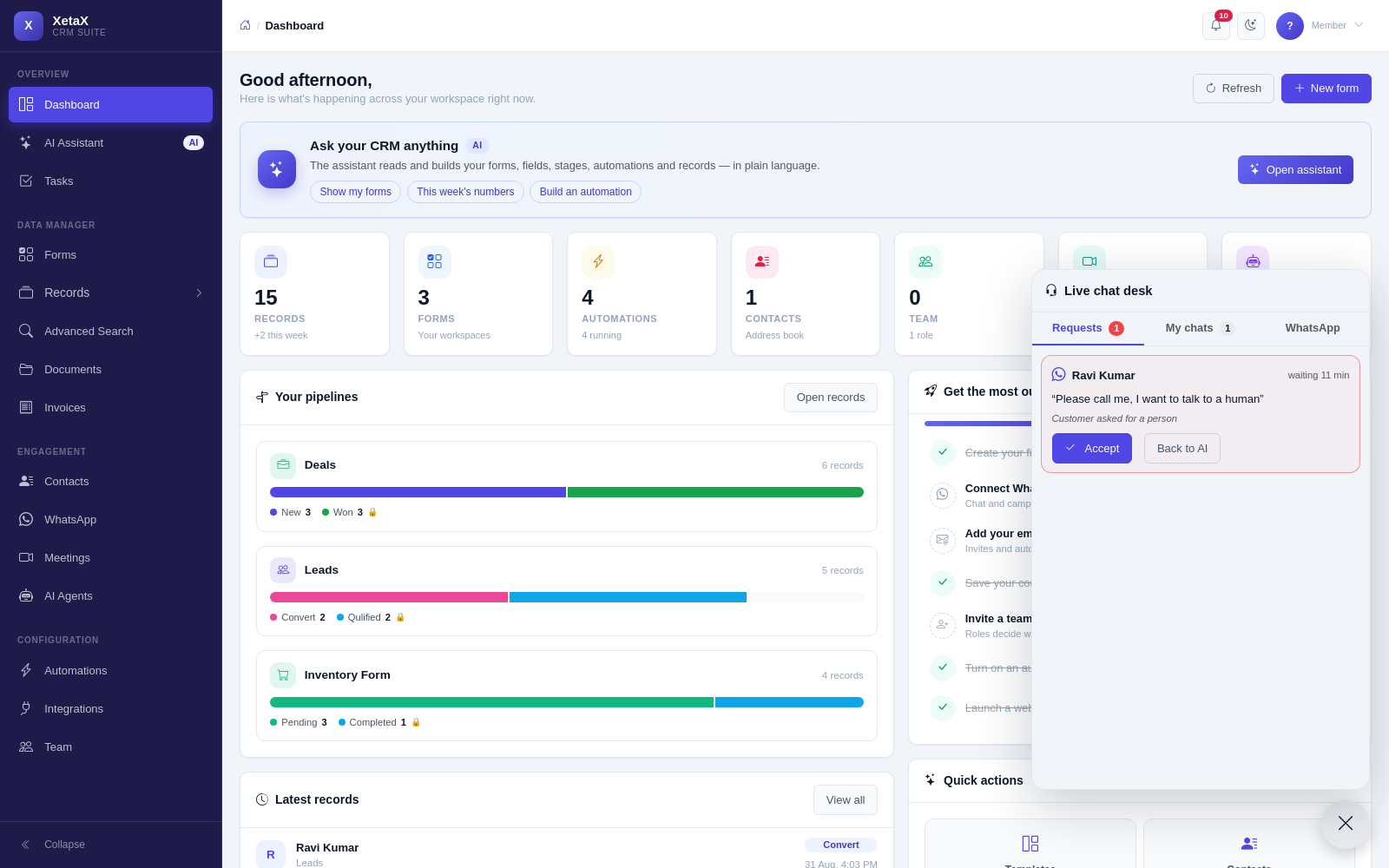
A small button at the bottom-right of every panel page. It lights up when someone asks for you — on your website or on WhatsApp.
In short
What it is
A queue of customers who asked for a human, open on every page of the panel.
Who it is for
Teams running an AI chatbot or Autopilot who still want real people available.
What you need
The website chatbot or a connected WhatsApp number.
How it works
Four or five steps, start to finish.
A customer asks for a person
On your website or on WhatsApp.
The desk button lights up
Anyone on the team can see who is waiting and what they said.
One person accepts
The first to accept owns it — no double replies.
Hand back or close
Return it to the AI, pass it to a colleague, or resolve it. A summary lands on the record either way.
What you get
- Accept and chat — see who is waiting, what they said and the AI’s summary so far. Click Accept and you are talking.
- Same number, same window — on WhatsApp your reply goes from your business number; website visitors see “connecting you to a person…” and then you.
- Hand it back or close it — return the chat to the AI, assign it to a colleague, or resolve it.
- Nobody free? — the owner gets a nudge after two minutes; website visitors are asked for a number and a call-back task is created for you.
Is this for you?
Worth it if…
- You use an AI chatbot but want humans reachable
- More than one person answers customers
- You lose enquiries when nobody is at the desk
Probably not if…
- You have a dedicated call centre tool you are happy with
- Nobody on your team is ever in the panel
Questions
What if two people click Accept?
The first one gets it. The other sees it is taken.
What if nobody is available?
After two minutes the owner is nudged. Website visitors are asked for a number, and a call-back task is created.
Does the customer know they switched from AI to a person?
Yes — they see that they are being connected, and then your name.