From “deal won” to paid in full
Raise a proper tax invoice the moment a deal closes — without leaving the CRM or opening another app.
In short
What it is
GST invoicing built into the CRM, attached to the deal it came from.
Who it is for
Indian businesses that raise tax invoices and chase payments.
What you need
Your GSTIN and bank details, entered once.
How it works
Four or five steps, start to finish.
Close the deal
Or just pick a contact — invoices attach to either.
Draft it, or describe it
Type “website 15k + one year hosting 5k, 18% GST” and the line items appear.
Check and save
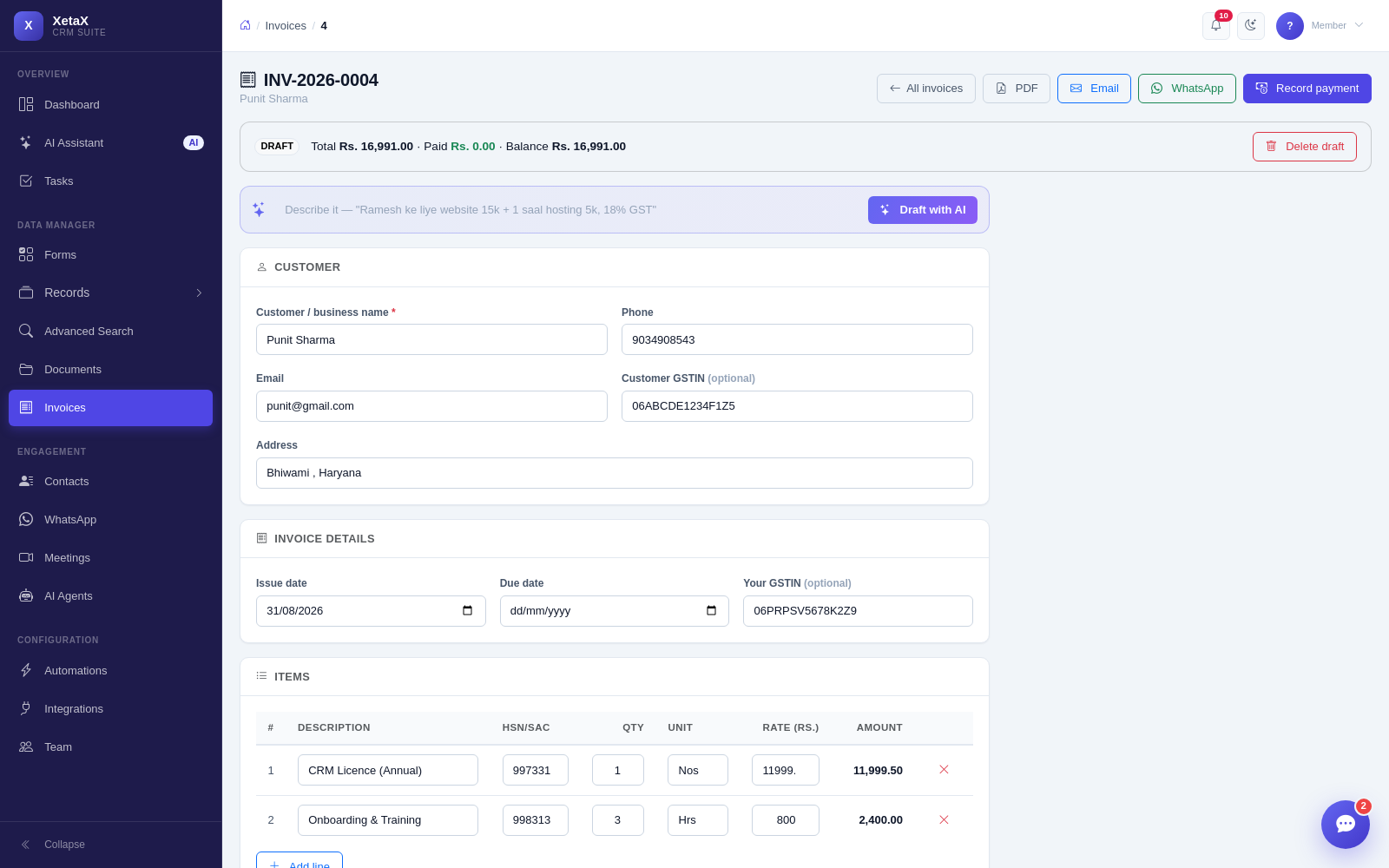
HSN/SAC, units, GSTIN both sides, tax split, round-off and amount in words are all filled.
Send and track
A clean PDF on WhatsApp or email, then record part or full payments against it.
What you get
- Real GST invoices — HSN/SAC codes, per-item units, buyer and seller GSTIN, CGST + SGST or IGST split, round-off to the rupee and the amount in words.
- Drafted by AI — type a sentence and the line items appear. Edit anything, then save.
- Sent where customers are — a clean PDF on WhatsApp or email in one click, with your bank details printed on it.
- Payments tracked — record part or full payments; see invoiced, received, pending and overdue at a glance.
- Tied to the deal — invoices attach to a contact or to a record that reached its final stage, so nothing gets billed twice.
Is this for you?
Worth it if…
- You raise GST invoices and chase payments
- Your invoicing lives in a separate tool from your customers
- You send invoices on WhatsApp anyway
Probably not if…
- You need full accounting, ledgers and returns filing — this is invoicing, not an accounting package
Questions
Does it handle IGST as well as CGST and SGST?
Yes — the split follows the place of supply.
Can I put my bank details on the invoice?
Yes, they are printed on the PDF.
Is this a full accounting system?
No. It raises, sends and tracks invoices and payments. Filing and ledgers stay with your accountant.