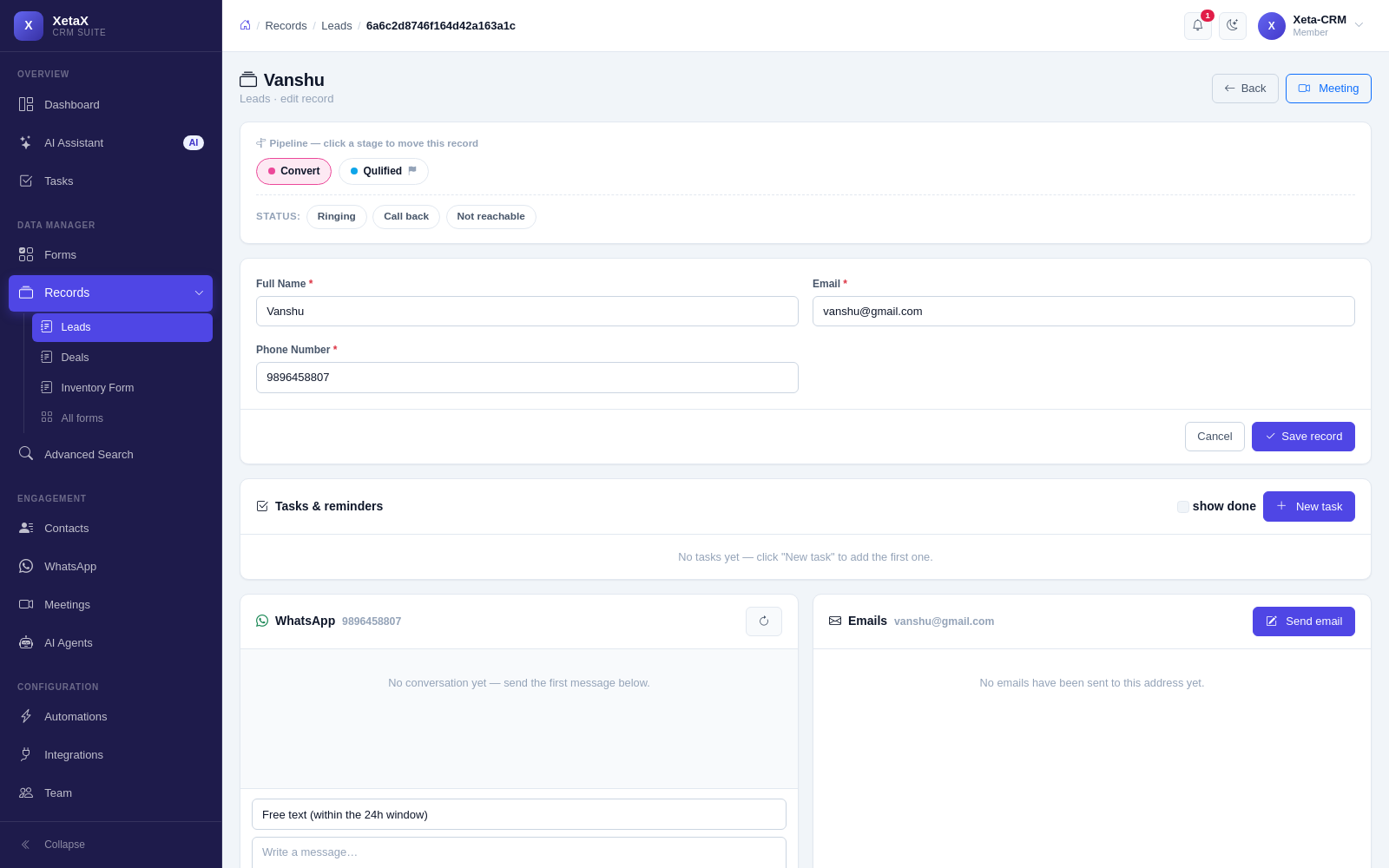
One record per customer, moving the way you work
Build the fields you actually need, decide the stages, and watch every enquiry move through them — whether it came from WhatsApp, your website, an ad or a phone call.
In short
What it is
The core of the CRM: a form you design, a pipeline you name, and a record per customer that everything attaches to.
Who it is for
Every business on XetaX — this is where the rest of it hangs.
What you need
Nothing. An industry pack sets this up in two minutes, or build it yourself.
How it works
Four or five steps, start to finish.
Build your form
Pick the fields you actually need. No developer, no fixed template.
Name your stages
“New lead → Contacted → Qualified → Proposal → Won”, or whatever you call them.
Enquiries flow in
From WhatsApp, your website, a chatbot, a Meta ad, a QR menu order or typed in by hand.
Everything attaches
Chats, tasks, documents, meetings and invoices all sit on the same record.
What you get
- Forms you build — the fields you actually need, not the ones a template decided for you.
- Pipelines you name — stages in your language, and a final stage that locks the record once approved.
- One record per customer — matched by phone or email, so the same person is never created twice.
- Contacts — everyone you have ever spoken to, in one searchable list.
- Documents — quotations, files and attachments kept with the customer instead of in someone’s email.
- A webhook for anything else — any other system can post leads straight in.
Is this for you?
Worth it if…
- Enquiries live in notebooks, phones and three spreadsheets
- You need to see what stage each deal is at
- Different staff need different views
Probably not if…
- You have no repeat customers and no follow-up at all
Questions
Do I have to use your fields?
No. You build the form. Industry packs give you a sensible starting point you can edit.
What happens when the same person enquires twice?
They are matched by phone or email and joined to the existing record rather than duplicated.
Can my salespeople see each other’s leads?
Only if you allow it. Roles go down to “only their own customers”.